How to connect a VM to a network
A VM network interface in vStack Center is a port in a VDC (virtual data center) network with its own slot, MAC address, IPv4 and IPv6 addresses, and rate limit. There are five slots, as with disks. A port is created with the VM or added separately.
vStack Center allocates addresses from the network's address pool. By default,
it selects an available IPv4 address itself; you can specify an address explicitly.
The same approach applies to IPv6, but addresses are specified as a list, with up
to eight per port. Each is checked against four conditions: format, membership in
the IPv6 subnet, not reserved, and not in use. If no list is specified and the
network has an IPv6 subnet configured, vStack Center allocates one address itself;
when the subnet has no available addresses left, error -3579, "IPv6 IP-pool is
depleted", is returned.
Each address family can be disabled independently. If the network has no subnet for an address family, that family is considered disabled regardless of the request. Such a port receives an address only in the family configured for the network.
IP guard protects against address spoofing: the node allows traffic only from the assigned address. It is enabled by default. It can be disabled only on isolated networks and only by a subject with the corresponding permissions.
Adding and deleting an interface require a stopped VM: network devices are assembled in the hypervisor configuration at startup. The rate limit, by contrast, can be changed while the VM is running.
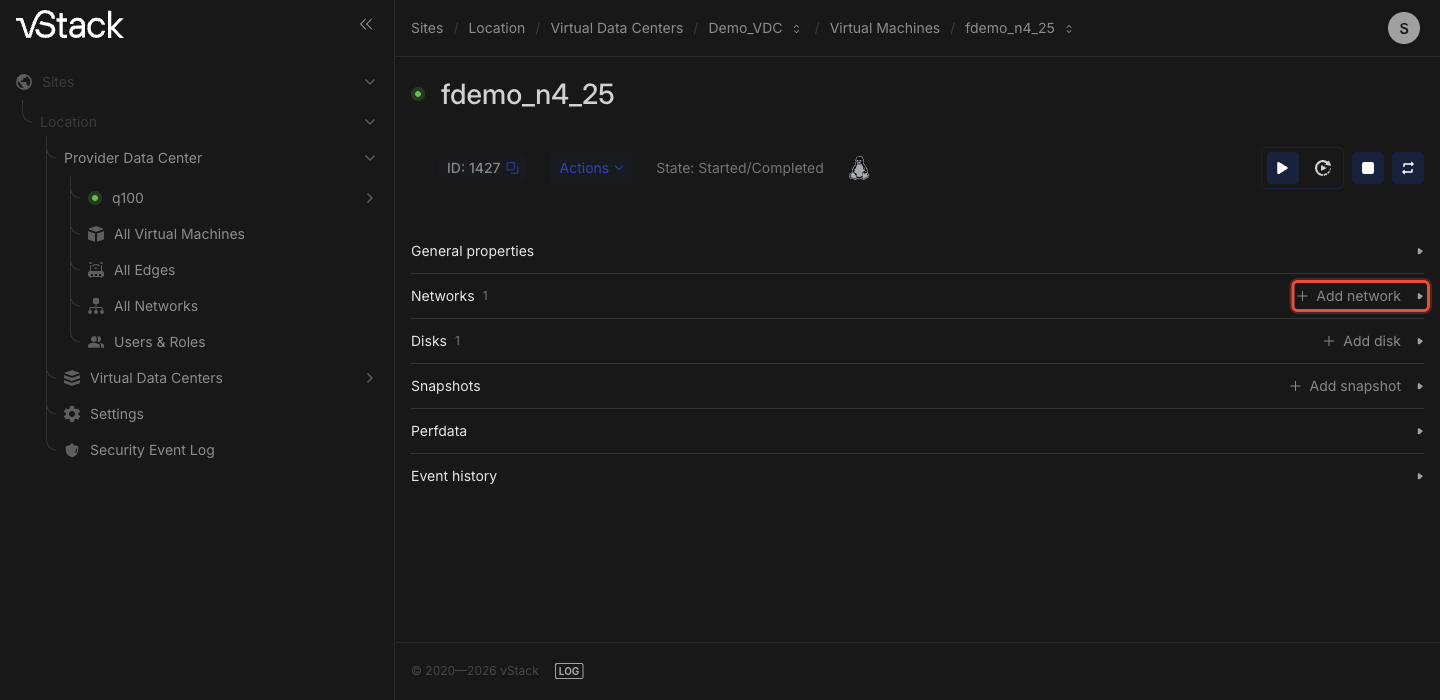
Interfaces appear in the Networks section of the VM card: a table with ID, Name, Slot, Port, MAC, IP, IP guard, and MBps limit columns, and an Add network button.
How to add an interface
Access: Cluster master can access any VM; an ordinary user can access VMs in their VDCs.
-
Stop the VM. For a running VM, the operation is rejected with error
-3526, "vm id==N must be stopped in order to add nic". -
In the Networks section of the VM card, click Add network.
-
Select a network assigned to the VM's VDC. A network from another VDC is rejected with error
-3562. -
Fill in the remaining fields. If no slot is explicitly specified, vStack Center uses the first available one:
Field Value Network A network in the VM's VDC; required Slot 1–5; if omitted, an available slot is selected automatically IPv4 address A specific address; if omitted, an address is allocated from the network's address pool MAC address A specific address; if omitted, one is generated IPv6 addresses Up to 8 addresses per port; if omitted, one address is allocated from the network's IPv6 subnet Skip address family Disable IPv4 or IPv6 for this port; both are enabled by default IP guard Enabled by default; can be disabled only on isolated networks MBps limit Port rate limit -
Wait for the interface to appear in the Networks table. The assigned addresses, MAC address, and port number are also shown there. You need the number to distinguish ports when editing a limit or deleting a port.
Dual-stack port
The port receives IPv6 automatically if the network has an IPv6 subnet configured. To specify addresses instead of selecting them automatically, provide a list.
To assign only IPv6, disable the IPv4 family for the port. No address is then
allocated from the IPv4 pool, and IPv4 checks are not performed. You cannot
specify an IPv4 address in this case: that combination is rejected with error
-3577.
Port addresses appear in the IP column of the Networks section: for a port without IPv4, the column is empty; all IPv6 addresses are listed.
If the interface was not added
| Failure | Reason | Workaround |
|---|---|---|
-3526 vm must be stopped in order to add nic | The VM is running | Stop the VM |
-3530, -3544 no available slots | All five slots are occupied | Free a slot |
-3545 Slot N occupied already | The selected slot is occupied | Leave the slot blank |
-3542 slot outside the range 1..5 | The slot value is invalid | Specify a slot within the range |
-3562 Network isn't assigned to vdc | The network does not belong to the VM's VDC | Select a network in this VDC |
-3563 Disabling ip_guard available on Isolated networks only | IP guard is disabled on a network of another type | Leave IP guard enabled |
-403 Access denied | Insufficient permissions to disable protection | Request permissions or leave protection enabled |
-3565 Bad address param | Invalid IPv4 address | Check the format |
-3549 IP-pool of network has been depleted | No available addresses remain in the network's address pool | Free addresses or expand the network's address pool |
-3550 addr limit reached | The VDC↔network pair has reached its address limit; available addresses may still remain in the pool | Increase Addrs limit for this pair on the IP Data tab of the VDC card or free this VDC's ports in this network |
-3571 IPv6 addresses limit exceeded | More than 8 IPv6 addresses per port | Shorten the list |
-3572 Bad IPv6 address format | Invalid IPv6 address | Check the format |
-3573 IPv6 address is absent at IP-pool | The address is outside the network's IPv6 subnet | Select an address from the network's subnet |
-3574 IPv6 address is already allocated | The address is in use | Select another address |
-3575 Duplicate IPv6 address in request | The list contains a duplicate | Remove the duplicate |
-3576 IPv6 address is reserved | The address is reserved in the network | Select an address outside the reserved range |
-3577 Network port address conflicts with skip or network IP family | An address is specified for a family disabled for the port | Remove the address or enable the family |
-3579 IPv6 IP-pool is depleted | No available addresses remain in the network's IPv6 subnet | Free addresses, expand the subnet, or disable IPv6 for the port |
-3508 nic has bad ratelimit_mbits value | Invalid rate limit | Check the value |
How to delete an interface
Deletion also requires a stopped VM. Stop the VM and delete the required port in the Networks section of its card.
Failures: -3724 means the VM is running, -3723 means the VM configuration
version does not support deleting an interface, and -3720 means the VM has
no such port.
How to limit a port's rate
The limit is set in the MBps limit field for the required port; a zero value
removes the limit. You need a VDC role with role_id ≤ 3.
You do not need to stop the VM. For a powered-off VM, only the configuration
changes, and the limit takes effect immediately; for a running VM, the value
is sent to the node. Partial success is possible: "Ratelimit has been set (DB),
but agent didn't apply it" means the value was saved, but the hypervisor did
not accept it. Such a limit takes effect the next time the VM starts. Other
failures: -7224 means the VM has no such port, -7223 means the VM configuration
version is 3, and -7228 means the VM is locked by another operation.
See also
- How to create, delete, and move a virtual machine — how to define network ports when creating a VM and why moving a VM to another VDC depends on networks
- How to manage VM disks and compute resources — the VM's other slots and limits
API methods
The API operations for this page are vms-add-nic, vm-remove-nic, and vm-ratelimit-nic
—see the API reference.